
Trackman iO High Performance 4K Core Ultra 9 Golf Simulator Gaming PC
£3,298.98 inc. VAT






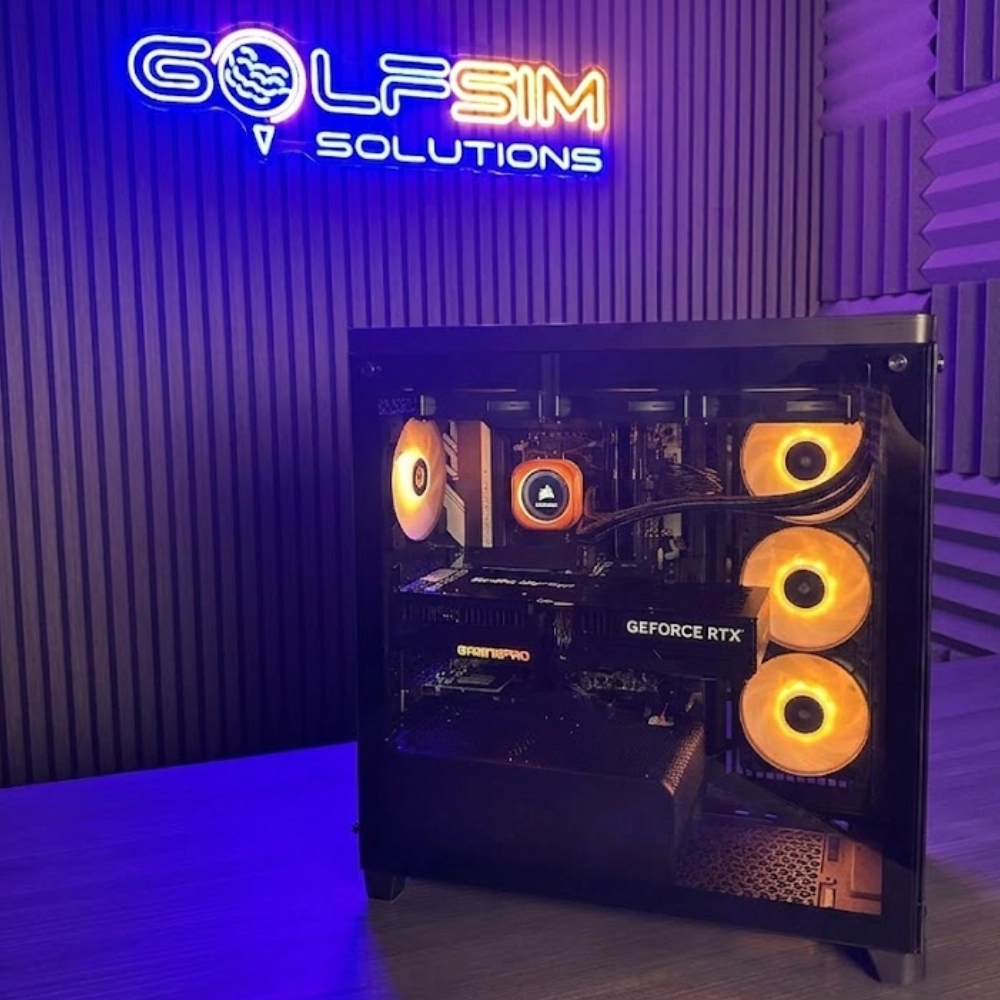
Product Summary: The Golf Sim Solutions 4K i9 Gaming PC is a commercial-grade desktop engineered specifically to power Trackman iO and Trackman 4 in native 4K UHD. Built around an Intel Core Ultra 9 processor, NVIDIA GeForce RTX 5080 16GB graphics, 32GB DDR5 5600MHz RAM, and a 2TB NVMe SSD, it delivers the dedicated network routing, multi-display support, and sustained hardware performance required for zero-lag Virtual Golf 3 rendering.
The Ultimate 4K Engine for Trackman iO and Duo Simulators
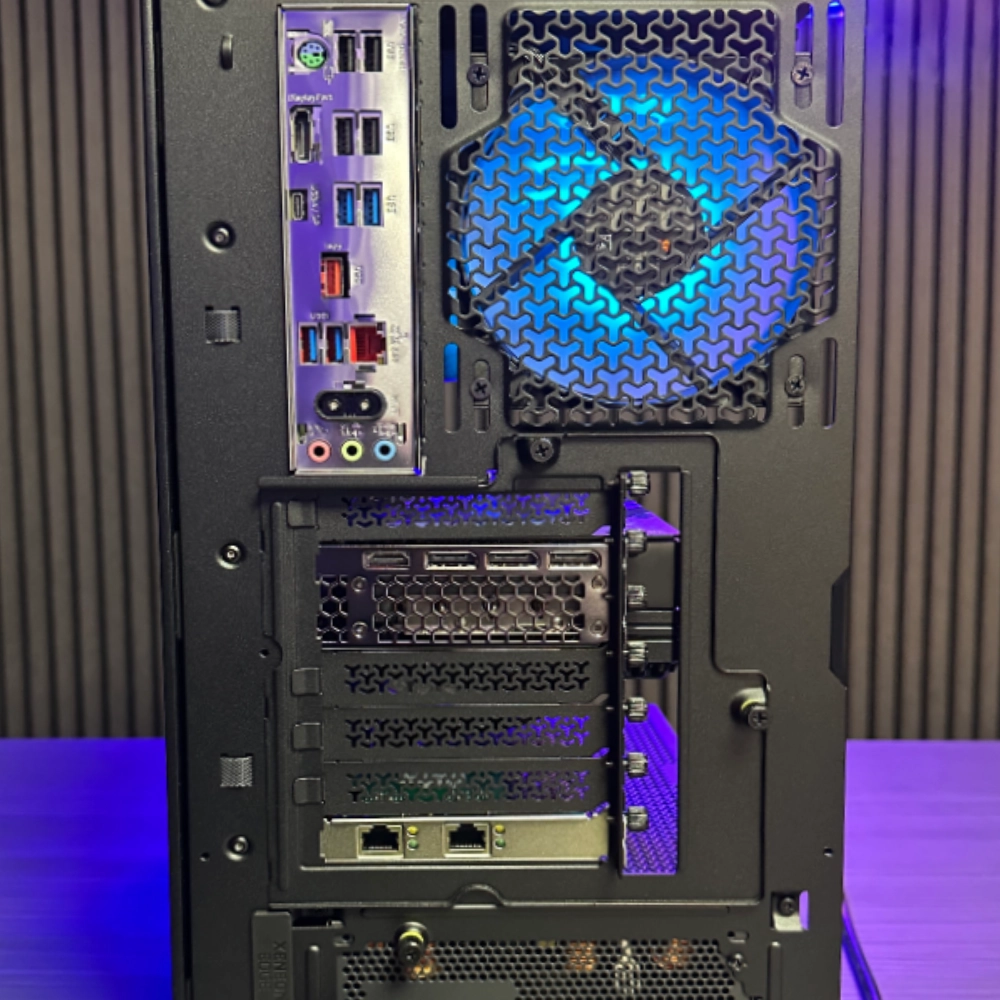
Eliminate latency, dropped frames, and thermal bottlenecks in your indoor studio. Duo ethernet ports, custom built to seamlessly run Trackman iO and Trackman iO Duo for your garage, home, golf club, or commercial setup. Custom-engineered to surpass the demanding requirements of modern launch monitors, this system delivers instant shot processing, uncompressed multi-screen output, and rock-solid stability for elite simulator setups.
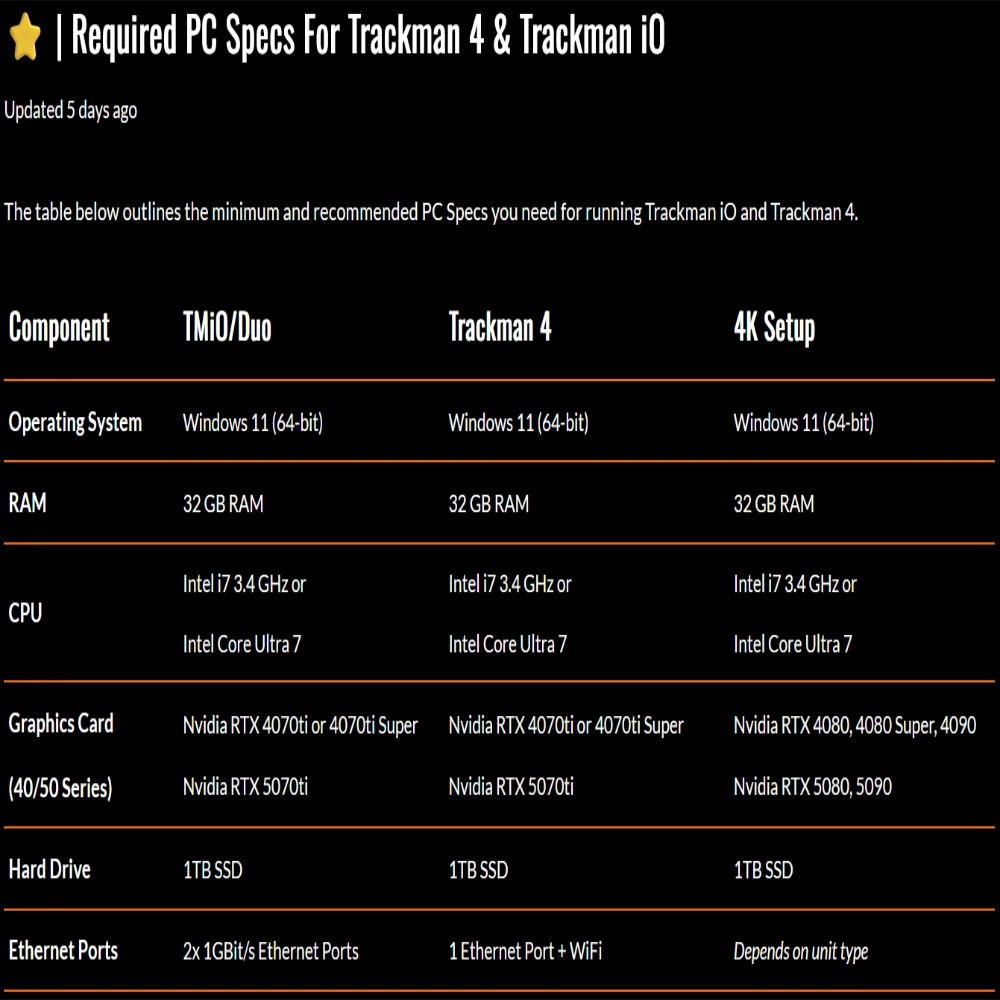
Hardware Specifications vs. Trackman 4K Requirements
| Component | This Golf Sim PC | Official Trackman 4K Requirement |
|---|---|---|
| Processor (CPU) | Intel Core Ultra 9 | Intel Core i7 or higher |
| Graphics (GPU) | NVIDIA RTX 5080 (or equivalent high-end) | NVIDIA RTX 4080 or better |
| Memory (RAM) | 32GB DDR5 | 32GB |
| Storage | 2TB NVMe M.2 SSD | 1TB SSD |
| Operating System | Windows 11 Pro | Windows 11 64-bit |
Click Here – For Trackman’s Latest Specs
Frequently Asked Questions
Do I really need an i9 processor for Trackman Virtual Golf 3?
Yes, if you want a flawless 4K experience. Golf simulator software relies heavily on physics calculations (ball spin, trajectory, weather effects) which demand high single-core CPU performance. The Intel Core Ultra 9 ensures these calculations happen instantly, eliminating the delay between your club striking the ball and the shot appearing on your impact screen.
Is this PC ready to use out of the box?
Absolutely. This system is pre-configured and stress-tested specifically for golf simulator environments. You simply plug it in, connect your launch monitor and projector, install your Trackman software, and you are ready to play.
Can this PC handle multiple 4K projectors or touchscreens?
Yes. The high-end NVIDIA graphics card supports multiple display outputs, allowing you to run a 4K projector for your main impact screen alongside a dedicated touchscreen monitor for your Trackman control panel without dropping frame rates.
Why do I need an Intel processor? Can I use an AMD Ryzen?
For a Trackman setup, you must use an Intel processor. Trackman Performance Studio (TPS) and Virtual Golf 3 do not officially support AMD processors or AMD graphics cards. Our custom i9 PC is built exclusively with Intel architecture to guarantee 100% compatibility and prevent software crashes.
Does this PC have the dual Ethernet ports required for Trackman iO?
Yes. Off-the-shelf PCs rarely come with multiple network ports, but Trackman iO explicitly requires two 1GBit/s Ethernet ports—one to hardwire the launch monitor to the PC, and the second to connect the PC to your internet router. Our PC is custom-configured to provide this exact connectivity out of the box.
Why is 32GB of RAM recommended over 16GB?
While 16GB is the absolute minimum, Trackman processes massive amounts of data in real-time. If you want to run Virtual Golf 3 in 4K alongside Trackman’s AI Motion Analysis (which requires 16GB just by itself) or record swing camera footage, 32GB of high-speed DDR5 RAM is mandatory to prevent stuttering.
Is a desktop PC better than a gaming laptop for a golf simulator?
Absolutely. Golf simulators require sustained, heavy graphics processing. A gaming laptop will quickly heat up and “thermal throttle” (reduce its power to prevent overheating), leading to frame drops. A dedicated desktop tower has vastly superior airflow and cooling, ensuring maximum performance during marathon simulator sessions.
What graphics card is needed for true 4K in Virtual Golf 3?
To run Virtual Golf 3 on high settings in native 4K, Trackman recommends an NVIDIA RTX 4070 Ti, 4080, or higher. Anything lower (like an RTX 4060) will require you to turn the graphics settings down to medium or drop the resolution to 1080p to maintain smooth ball flight.
Features
- Launch Monitor Ready – Fully compatible with Trackman, GC Quad and SkyTrak+, etc
- Built for 4K Golf Simulation – Supports high-resolution 4k Laser Projectors and Trackman extended dual display setups
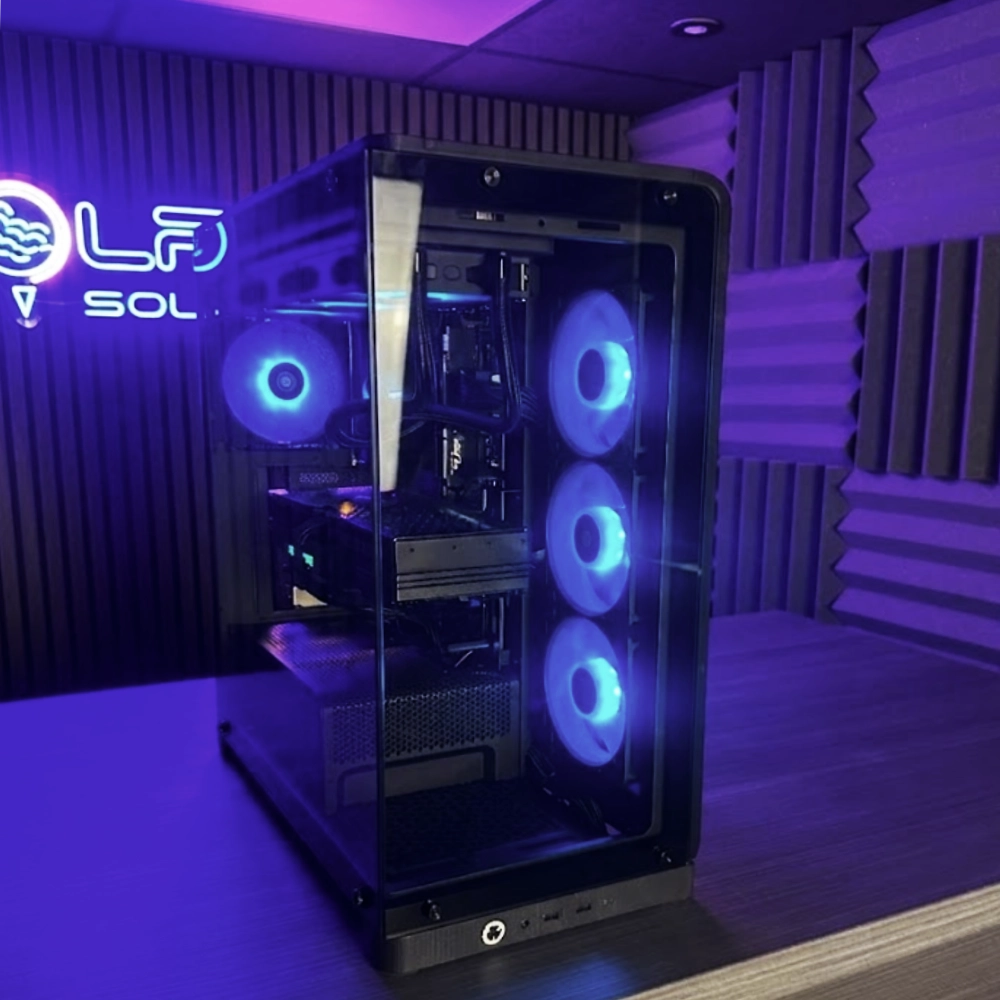
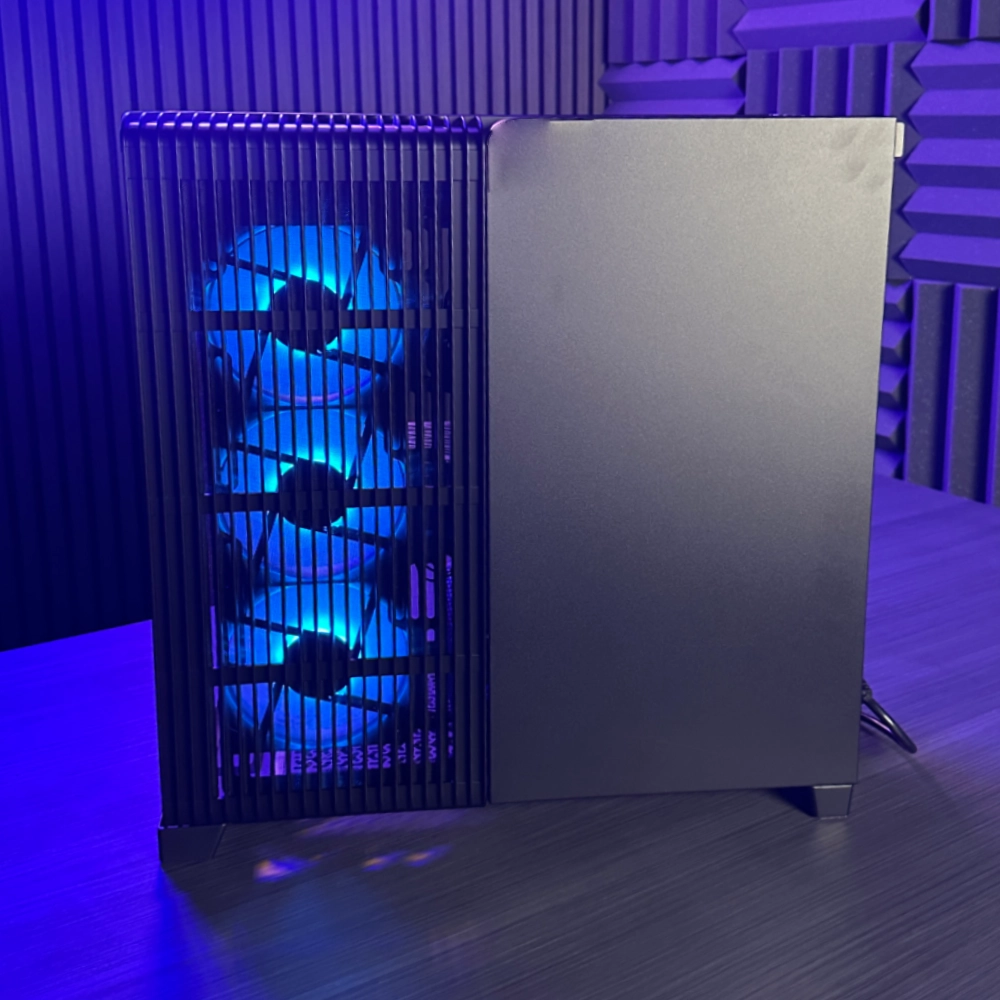
- Silent & Cool Performance – Advanced liquid cooling for Golf Studio friendly operation
- Future-Proof – RTX5080 Graphics Card GPU keep you future-proofed for years
Operating System: Windows 11 Pro
Pre-installed and ready to go with full compatibility for all Major Indoor Golf Simulation Software.
RAM: 2 X DDR5 16GB 5600MHZ KINGSTON FURY BEAST BULK
Smooth multitasking and loading, ensuring optimal performance across all simulator platforms.
CPU: Intel Core Ultra 9
Perfect for heavy data crunching and responsive feedback in radar-based systems like Trackman.
GPU: GeForce RTX 5080 16GB
Handles the most demanding graphics environments – ideal for detailed course rendering and immersive gameplay in Trackman Virtual Golf 3, GSPro and E6.
Storage: KINGSTON NV3 GEN4 NVME SSD 2TB
Fast boot times and plenty of room for large course libraries, software, and replays.
Motherboard: MSI Z890 Gaming WIFI
Rock-solid connectivity, enhanced wireless speeds, and easy expansion options.
Power Supply: 850W POWER SUPPLY
Efficient, stable power with modular design for cleaner cable management.
Cooling: MSI CORELIQUID D240 AIO
Keeps the system cool and quiet even during marathon simulator sessions.
Case: CORSAIR FRAME 4500X RSR ARGB TG BLACK CASE
Sleek black chassis with optimised airflow, perfect for professional or home golf studios.
Technical Specifications
| Processor (CPU) | Intel Core Ultra 9 |
| Graphics Card (GPU) | NVIDIA GeForce RTX 5080 (16GB GDDR7) |
| Memory (RAM) | 32GB (2 × 16GB) Kingston FURY Beast DDR5 5600MHz |
| Storage | 2TB WD SN3000 M.2 NVMe PCIe SSD |
| Motherboard | MSI Z890 GAMING WIFI (Intel LGA 1851) |
| CPU Cooling | MSI MPG CORELIQUID D240 240mm AIO Liquid Cooler |
| Power Supply (PSU) | 850W High-Efficiency Modular Power Supply |
| Operating System | Windows 11 Pro 64-bit |
Shipping & Delivery Policy
Last updated: 24/10/2025
This Shipping & Delivery Policy forms part of our Terms and Conditions and should be read alongside them.
By placing an order with us, you agree to the terms outlined below.
UK DELIVERY ONLY
- We currently deliver within the United Kingdom only. We do not offer international shipping.
DELIVERY CHARGES
- Free UK delivery on orders of £60 or more
- £5 UK delivery charge on orders under £60
- Delivery charges are calculated automatically at checkout.
DELIVERY TIMES
- We aim to offer next-day delivery on all eligible UK orders. While we make every effort to meet this timeframe, delivery times are estimates and may be affected by circumstances beyond our control.
NEXT-DAY DELIVERY – TERMS & CONDITIONS
- Next-day delivery is subject to availability and the following conditions:
Order Cut-Off Time
- Orders must be placed before 14:30 (UK time), Monday to Friday to qualify for next-day delivery. Orders placed after this time will be processed the next working day.
Weekends & UK Public Holidays
- Orders placed on weekends or UK public holidays will be dispatched on the next working day.
Remote or Outlying UK Postcodes
- Certain remote, rural, or offshore postcodes may require longer delivery times and may not qualify for next-day delivery.
Stock Availability
- Items that are out of stock, customised, or made-to-order are not eligible for next-day delivery.
Payment & Security Checks
- Orders requiring additional verification may be delayed.
Courier Delays
- We use reputable UK courier services; however, delays within courier networks are outside our control.
Adverse Weather & Force Majeure
- Delays caused by extreme weather, strikes, or other events beyond our control are not our liability.
Incorrect Address Details
- Please ensure delivery details are correct at checkout. Incorrect or incomplete information may result in delays or failed delivery.
Busy Trading Periods
- During peak periods (including Black Friday and Christmas), delivery times may be extended due to high order volumes.
- We reserve the right to amend, suspend, or withdraw the next-day delivery service at any time without prior notice.
DELIVERY DELAYS
- If your order is delayed, we will notify you as soon as possible and provide an updated estimated delivery date.
- This does not affect your statutory rights under UK consumer law.
CONTACT US
- If you have any questions about this policy, you can contact us at:
Phone: 01472 476203
Email: sales@golfsimsolutions.co.uk